
About Excelerator Password
Protect and release Excel workbooks in seconds — without opening Microsoft Excel.
Excelerator Password is a focused Mac utility built for people who regularly send, receive, or manage password-protected Excel workbooks.
You already know Excel can password-protect a file. Excelerator Password is about making that repetitive task faster.
Instead of opening each workbook, navigating through password settings, entering the same password, saving the file, closing it, and repeating the process, add your workbooks to Excelerator and let it handle the routine.
Add files. Review. Process. Done.
LESS REPETITION. FEWER STEPS.
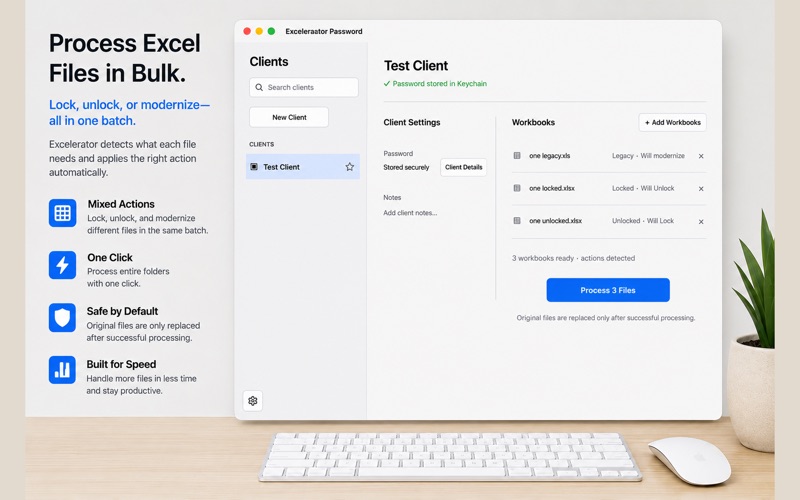
Excelerator automatically determines the planned action for supported workbooks.
Add an unlocked workbook and it's prepared to be locked. Add a protected workbook and it's prepared to be unlocked. You can process locked and unlocked workbooks together in the same batch.
SAVE CLIENT PASSWORDS
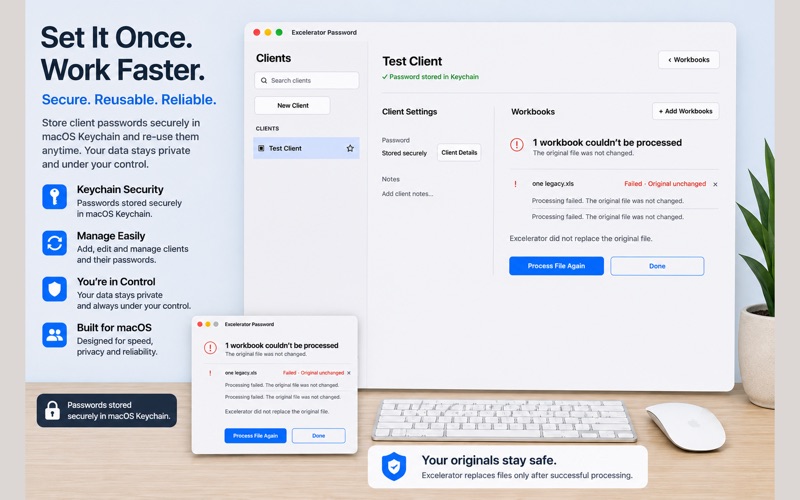
Create a client and save its password securely in macOS Keychain. When you work with that client again, Excelerator can reuse the stored password, eliminating the need to repeatedly enter or look up the same password.
PROCESS MULTIPLE WORKBOOKS
Add multiple supported workbooks and review what Excelerator plans to do before processing.
Excelerator supports .xlsx and .xlsm lock and unlock workflows. Legacy .xls workbooks can be modernized to .xlsx before processing.
BUILT TO PROTECT YOUR ORIGINALS
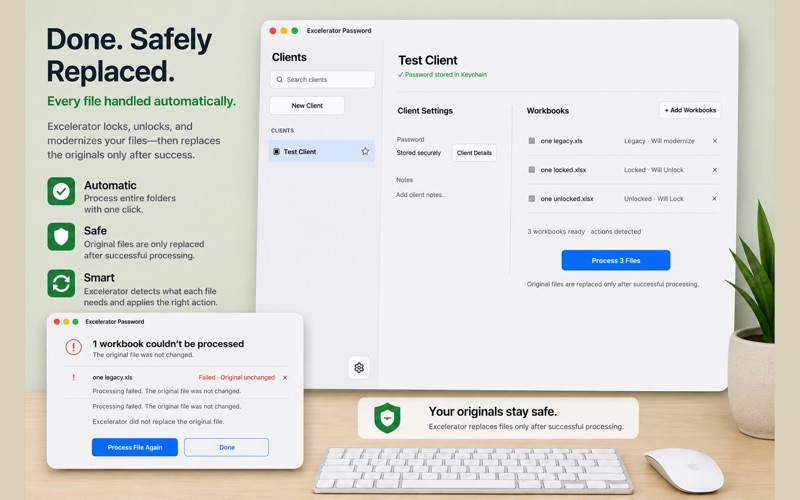
For modern workbooks, Excelerator replaces the original only after processing succeeds and the output has been validated.
If processing fails, the original remains unchanged and the failed file can be processed again.
For legacy .xls modernization, the original .xls file is preserved while the modernized .xlsx file is created.
YOUR WORKBOOKS STAY LOCAL
Workbook processing happens locally on your Mac. Your workbook contents are not uploaded to the developer for processing.
BUILT FOR REPEAT BUSINESS WORKFLOWS
Excelerator Password is especially useful for people who regularly exchange protected workbooks with clients, coworkers, vendors, or business partners.
MADE FOR MAC
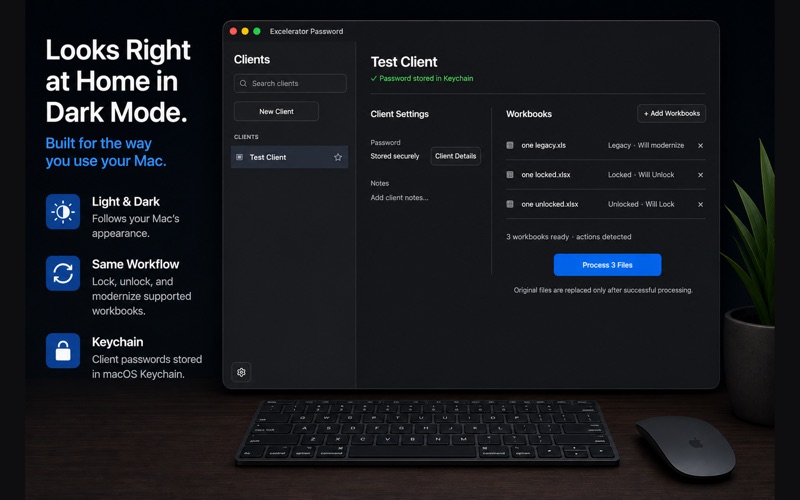
Excelerator Password supports Light and Dark Mode and uses macOS Keychain for saved client passwords.
IMPORTANT
Excelerator Password is not a password recovery or password cracking tool. To unlock a protected workbook, you must have the authorized password.
Excelerator Password on the Valeri board
Excelerator Password has no votes yet and sits at #173 of 173 on the Valeri board. Only upvotes, reviews and comments from players move a listing up; nothing here can be bought.